

If your phone suddenly shows “No Service” and calls, texts, and cellular data all stop at once, do not assume it is only a routine outage. Someone may have convinced your carrier to move your number to a different SIM or eSIM—a SIM-swap attack—or transferred it to another carrier through port-out fraud. The criminal is usually not interested in the number itself. The real targets are the login codes and account-recovery messages sent to that number.
This risk extends beyond the device in your hand. Your carrier account, primary email, banks, payment apps, password manager, authenticator, and recovery codes may form one connected chain. Strengthening that chain before anything happens can reduce the chance of a takeover and make it much harder for an attacker to turn a stolen number into control of your email and financial accounts.
This guide provides general digital-safety information for U.S. consumers. It is not individualized legal, financial, or cybersecurity advice. Features, names, and recovery procedures vary by carrier and financial institution, so verify the current instructions with each provider.
Quick start: seven things to do today
- Give your wireless-carrier account a strong password that you do not use anywhere else.
- Create an account PIN and turn on any number-transfer or port-out lock the carrier offers.
- Starting with your primary email, replace SMS codes with an authenticator app, passkey, or security key where possible.
- Review the recovery phone number and authentication method on banking, investing, and payment accounts.
- Store recovery codes and official carrier contact information somewhere other than your phone.
- Remove people who no longer need authorized access to a shared wireless account.
- Write down a 30-minute response sequence for an unexpected loss of cellular service.
SIM swapping versus port-out fraud
In a SIM swap, a victim’s number is activated on a physical SIM or eSIM controlled by the attacker, often while remaining at the same carrier. In port-out fraud, the number is transferred to an account at a different carrier. From the victim’s perspective, the result can look similar: the original phone loses cellular service, while the attacker begins receiving calls and text messages intended for the victim.
Criminals may combine information found online, data from previous breaches, reused passwords, phishing, and social engineering directed at customer-service representatives. After taking the number, they can start password-reset flows and receive texted verification codes. That is why a carrier PIN alone is not a complete defense, and why turning on text-message authentication everywhere is not enough. The carrier account and the most important online accounts need to be protected together.
Warning signs
- Calls, texts, and data stop working at the same time in a place where service is normally available.
- Your carrier says a SIM or eSIM was activated on another device.
- You receive an unrequested notice about a number transfer, account-PIN change, or new device.
- Password-reset notices arrive for your email, bank, social-media, or payment accounts.
- Unexpected verification codes arrive—or codes you requested stop arriving.
- Friends say your number sent them unusual requests for money or suspicious links.
One sign alone does not prove that a crime occurred. A local outage, a device problem, or a billing issue can produce similar symptoms. But a loss of service combined with account-change notices calls for immediate checking from another phone or computer.
Step 1: Make your carrier account the gatekeeper
Being able to sign in to your carrier’s app does not mean every available protection is active. The web-account password, customer-service PIN, transfer PIN, and number-lock feature may be separate controls. Open the carrier’s official app or type its website address directly, then look for the following settings. If the names are unclear, use the support number on the carrier’s official website rather than a number in an unsolicited message or search advertisement.
- Unique password: Use a long password that is not shared with an email, store, or social account, and save it in a reputable password manager.
- Account PIN: Avoid birthdays, address numbers, the last digits of the phone number, and other information someone could guess.
- Number-transfer lock: Enable a feature named Number Lock, Port Lock, Transfer Lock, or Account Takeover Protection if offered.
- Change alerts: Request notices about SIM changes, new-device activations, password changes, and PIN changes through email and another independent channel when available.
- Authorized users: Remove former household members, past employees, or anyone else who no longer needs account access.
A transfer lock may need to be disabled when you intentionally change carriers or replace a phone. Record the date you enabled it, the official method for unlocking it, and the carrier’s verified support number in an offline note. You can also ask whether the carrier offers an extra restriction that requires in-store identification before a SIM change, but this option is not available or identical everywhere.
Step 2: Reduce dependence on text codes, starting with email
Your primary email may be even more important to protect than a bank app. Once attackers control email, they can receive reset links for other services, delete security alerts, and impersonate you when contacting support. Review authentication on your primary email first, then your password manager and financial accounts.
Where the service supports it, avoid making a text message the only second factor. Passkeys, authenticator apps, and physical security keys do not depend on control of your phone number. The Federal Trade Commission specifically recommends considering an authenticator app or security key when SIM swapping is a concern. That does not mean SMS authentication is useless: it is generally better than using no second factor. If SMS is the only option, keep it enabled, strengthen the carrier account, and check periodically for a stronger alternative.
A practical priority order
- Passkey or physical security key: Consider these first when a service supports them and you can prepare a safe recovery method.
- Authenticator app: Time-based codes are generated by the app rather than delivered to your phone number.
- Push approval: Read the location, device, number match, or other context before approving. Never approve a prompt you did not initiate.
- Text or voice code: Use it when stronger methods are unavailable, together with carrier-account protections.
An authenticator app also needs a recovery plan if your phone is lost. Learn whether its backup is end-to-end encrypted, understand what is required to move to a new device, and store one-time recovery codes separately. For a workplace account, follow the organization’s IT policy before changing authentication methods. If work email or files are connected to automated tools, the workplace AI agent security checklist explains how to review those permissions.
Step 3: Build a recovery kit that does not live on your phone
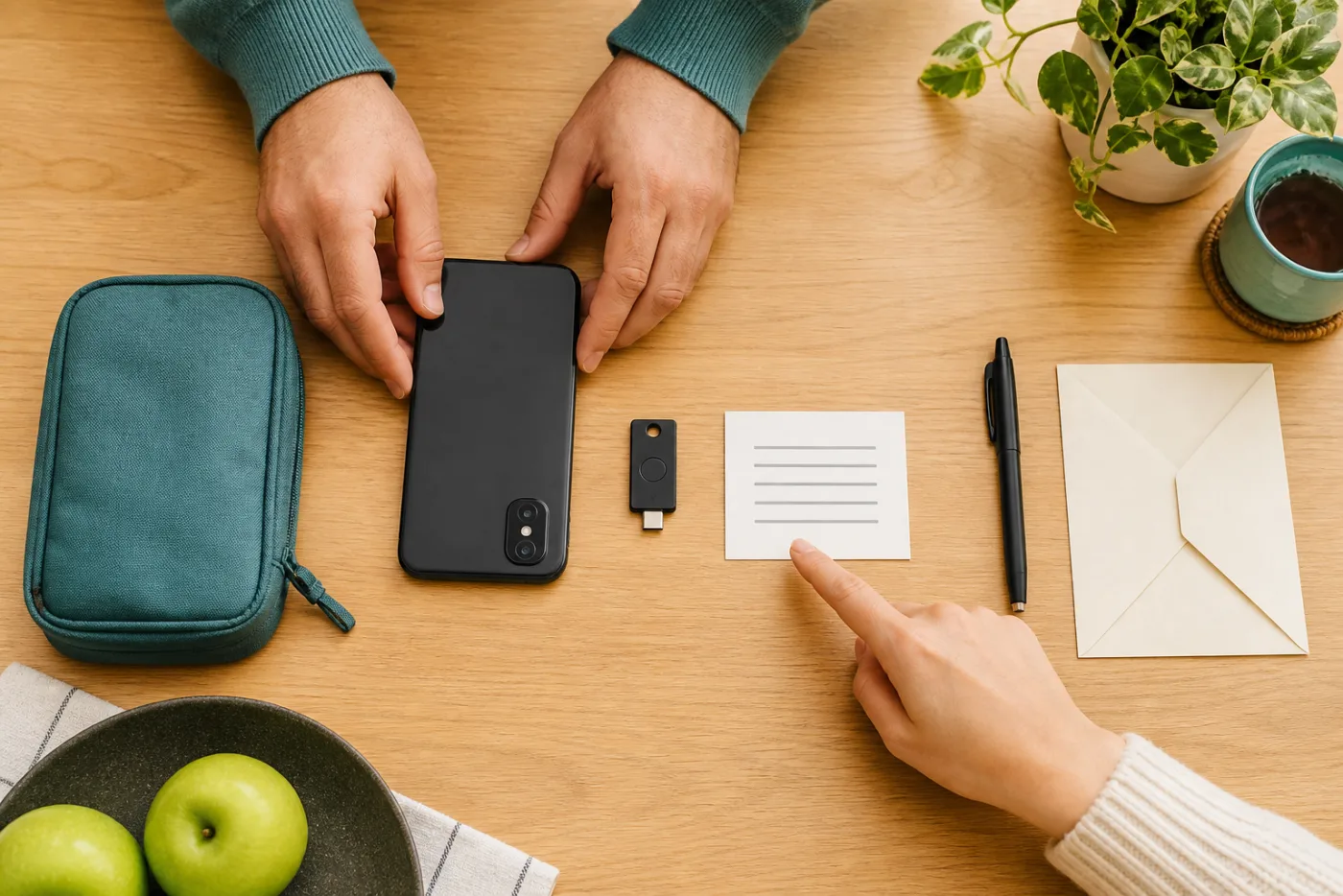
During an incident, people often discover that every piece of recovery information is trapped inside the phone that no longer receives service. A recovery kit does not need to be elaborate. It is simply the minimum set of information needed to act from another device. A sealed paper packet in a locked location can work, as can a strongly encrypted offline drive.
Recovery-kit checklist
- The carrier’s official support and fraud numbers and your account number
- Instructions for the carrier’s number lock and the legitimate unlock procedure
- One-time recovery codes for the primary email and password manager
- Official fraud contacts and directly typed web addresses for important financial institutions
- The secure location of a spare security key, if you registered two keys
- A trusted household contact and a plan for borrowing another phone
- The safe location of identification, a carrier bill, and proof of account ownership
Do not keep the only copy of recovery codes in the phone’s ordinary photo library or in an email draft. Those copies may become available to the same person who compromises the phone or email. Likewise, carrying the only registered security key on a key ring can create a recovery problem if the key is lost. When the service permits it, register a spare and keep it in a separate secure location.
Step 4: Inspect recovery paths on financial and payment accounts
Biometric login in a banking app does not guarantee that web login and password recovery are independent of text messages. In each bank, brokerage, and payment account, open a menu such as Security, Login & Security, Two-Step Verification, or Recovery. Confirm the phone number, email address, trusted devices, and authentication methods. Delete an old work email, disconnected number, or unfamiliar device.
When possible, send transaction alerts through an independent channel such as email as well as app notifications. Never open the bank through a link in an unexpected text or call a number supplied by an unsolicited caller. Use the number printed on the back of a payment card, the number shown after directly opening the official app, or a website address you typed yourself. If something is wrong, do more than change a password: review recent sign-ins, newly added recipients, scheduled transfers, contact changes, and replacement-card requests.
If you suspect an attack: the first 30 minutes
- Call your number from another phone. Note whether someone answers or the call goes directly to voicemail, but do not treat this test alone as proof.
- Use another trusted device over a safe connection. Go directly to the carrier’s official app or website, not a link in a suspicious message.
- Ask the carrier to freeze the number immediately. Ask whether an unauthorized SIM/eSIM change or port occurred, the time it occurred, and the case number.
- Secure your primary email and password manager. Change passwords, sign out other sessions, and inspect recovery details, forwarding rules, and connected apps.
- Notify financial institutions through official fraud channels. Ask about unapproved transfers, new recipients, and profile changes, then follow the institution’s instructions.
- Preserve evidence. Record alert screenshots, email headers, the time service failed, representative names, and ticket numbers.
- Use IdentityTheft.gov when personal information has been misused. The official service creates a recovery plan based on what happened.
Restoring cellular service does not automatically make online accounts safe. The attacker may already have changed a recovery address, registered a new authentication device, or created an email-forwarding rule. For at least the next 48 hours, watch email security notices, financial transactions, and carrier-account changes, and terminate sessions you do not recognize.
Example: “No Service” on the morning commute
Suppose Maya notices during her commute that both calls and cellular data have stopped. Instead of immediately opening a banking app on public Wi-Fi, she reaches a trusted network and borrows another phone. She calls the carrier through its official support number and learns that an eSIM change occurred 20 minutes earlier. She asks the carrier to freeze the number and records the case number.
Next, Maya uses a trusted laptop to change the primary-email password, signs out all existing sessions, and checks for an unfamiliar recovery address or forwarding rule. She then contacts her bank and payment service through their official fraud numbers to inspect new recipients and transfers. Finally, she records the timeline and reviews the recovery steps at IdentityTheft.gov. The important pattern is the order: break the chain at the carrier, then the primary email, then financial accounts, without relying on the same compromised text-message channel.
Eight common mistakes
- Waiting hours because it looks like an outage: Check carrier-account changes from another device when multiple services fail together.
- Using a birthday as the carrier PIN: Choose a value that cannot be inferred from public information.
- Reusing one password: A stolen carrier credential should not unlock the primary email too.
- Assuming SMS makes every account safe: Move high-value accounts to number-independent authentication where available.
- Keeping recovery codes only in phone photos: Store a separate copy outside the device.
- Calling a customer-service number from a search ad: Use the official app, bill, card, or a directly typed official website.
- Stopping when the number works again: Inspect email sessions, forwarding rules, financial recipients, and recovery information.
- Ignoring broader identity exposure: If personal information was misused, review credit reports and appropriate protections. If a child’s information may be involved, see the child credit-freeze guide.
A ten-minute monthly maintenance check
- Is the carrier’s number-transfer lock still enabled?
- Do you recognize every authorized user and registered device?
- Has your email or financial institution added an option stronger than SMS?
- Are recovery codes current and hidden from casual access?
- Does the spare security key still work, and is it stored separately?
- Are the official carrier and bank fraud contacts still current?
- Could old data-broker records make impersonation easier? California residents can review the official request process in the California DROP data-deletion guide.
Frequently asked questions
Does an eSIM prevent SIM swapping?
No. A criminal does not need to steal a physical card if they can take over the carrier account or persuade support to activate the number on another eSIM. Carrier passwords, PINs, number-transfer locks, and change alerts matter regardless of the SIM format.
Should I turn off text-message authentication everywhere?
Move high-value accounts to an authenticator app, passkey, or security key when the service offers a well-supported option. But disabling SMS on a service that offers no alternative is not automatically safer. Use the best option available, pair it with a unique password, and protect the carrier account.
Can my number be taken while the phone still appears to work?
When a number is activated on another SIM, the original device will typically lose cellular service, but Wi-Fi can keep working and delay detection. Dual-SIM setups, outages, and device settings can also create confusing symptoms. Confirm the event through the carrier’s official account records.
Does a credit freeze stop a SIM swap?
A credit freeze is a separate tool designed to make new credit accounts harder to open. It does not directly block a carrier transfer. It may be appropriate when a broader identity-theft risk exists, but the carrier number lock and online-account recovery steps still need to be handled separately.
If an attacker transfers money, is the carrier responsible?
Responsibility and reimbursement can depend on the facts, type of financial product, reporting time, institutional policy, and applicable law. Notify both the carrier and financial institution immediately and retain case numbers and evidence. Consult the relevant agency or a qualified professional for advice about a specific dispute.
Who should configure protections on a family plan?
The primary account owner should review transfer locks and authorized users, but each person should separately protect their email and financial accounts. Agree not to share the account PIN in text messages or group chats, and decide how the family will reach one another if one phone loses service.
Official sources consulted
- Federal Trade Commission — SIM Swap Scams: How to Protect Yourself
- Federal Communications Commission — Port-Out Fraud Targets Your Private Accounts
- IdentityTheft.gov — Report identity theft and get a recovery plan
- National Institute of Standards and Technology — Back to basics: Multi-factor authentication
[…] Read this SIM-swap protection guide in English → […]